Steam Vault Features
Eligible for +1 Library Boost
Trading Cards
Supported
Achievements
Supported
+1 Count / Boost
Counts +1
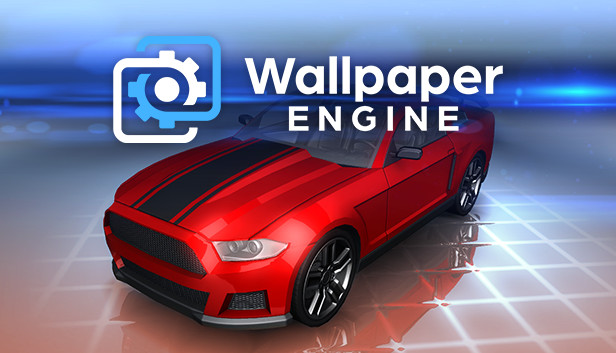
Wallpaper Engine enables you to use live wallpapers on your Windows desktop. Various types of animated wallpapers are supported, including 3D and 2D animations, websites, videos and even certain applications. Choose an existing wallpaper or create your own and share it on the Steam Workshop! In addition to that, you can use the free Wallpaper Engine companion app for Android to transfer your favorite wallpapers to your Android mobile device and take your live wallpapers on the go.
NEW: Use the free Android companion app to transfer your favorite wallpapers to your Android mobile device.
Wallpaper Engine aims to deliver an entertaining experience while using as few system resources as possible. You can choose to automatically pause or completely stop the wallpaper while using another application or playing fullscreen (including borderless windowed mode) to not distract or hinder you while playing a game or working. Many options to tweak quality and performance allow you to make Wallpaper Engine fit your computer perfectly. As a general rule of thumb, 3D, 2D and video based wallpapers will perform best, while websites and applications will require more resources from your system. Having a dedicated GPU is highly recommended, but not required.Choose from over a million free wallpapers from the Steam Workshop with new wallpapers being uploaded every day! Can't find a wallpaper that fits your mood? Let your imagination go wild by using the Wallpaper Engine Editor to create your own animated wallpapers from images, videos, websites or applications. A large selection of presets and effects allow you to animate your own images and share them on the Steam Workshop or to just use them for yourself.
NEW: Use the free Android companion app to transfer your favorite wallpapers to your Android mobile device.
- Bring your desktop wallpapers alive with realtime graphics, videos, applications or websites.
- Use animated screensavers while you are away from your computer.
- Personalize animated wallpapers with your favorite colors.
- Use interactive wallpapers that can be controlled with your mouse.
- Many aspect ratios and native resolutions supported including 16:9, 21:9, 16:10, 4:3.
- Multi monitor environments are supported.
- Wallpapers will pause while playing games to save performance.
- Create your own animated wallpapers in the Wallpaper Engine Editor.
- Animate new live wallpapers from basic images or import HTML or video files for the wallpaper.
- Use the Steam Workshop to share and download wallpapers for free.
- Wallpaper Engine can be used at the same time as any other Steam game or application.
- Supported video formats: mp4, WebM, avi, m4v, mov, wmv (for local files, Workshop only allows mp4).
- Use the free Android companion app to take your favorite scene and video wallpapers on the go.
- Support for Razer Chroma and Corsair iCUE.
Wallpaper Engine aims to deliver an entertaining experience while using as few system resources as possible. You can choose to automatically pause or completely stop the wallpaper while using another application or playing fullscreen (including borderless windowed mode) to not distract or hinder you while playing a game or working. Many options to tweak quality and performance allow you to make Wallpaper Engine fit your computer perfectly. As a general rule of thumb, 3D, 2D and video based wallpapers will perform best, while websites and applications will require more resources from your system. Having a dedicated GPU is highly recommended, but not required.Choose from over a million free wallpapers from the Steam Workshop with new wallpapers being uploaded every day! Can't find a wallpaper that fits your mood? Let your imagination go wild by using the Wallpaper Engine Editor to create your own animated wallpapers from images, videos, websites or applications. A large selection of presets and effects allow you to animate your own images and share them on the Steam Workshop or to just use them for yourself.
Tags & Genres
#Mature
#Utilities
#Software
#Anime
#NSFW
- 1 Open the Steam desktop client and log into your Steam account (or open Steam Web Activation ).
- 2 Click Games in the top menu bar, then select Activate a Product on Steam…
- 3 Paste the product key delivered to your HootEmpire Order Vault and click Next.
- 4 Wallpaper Engine is permanently added to your Steam library and ready to download.
Need help redeeming a key? Reach out anytime on our
Support page
or
Discord
.
Verify your account region matches one of the supported regions below before purchasing:
 Worldwide
Keep Exploring
Browse All
Related Keys You Might Like


€6.02
€16.36
Instant Digital Key