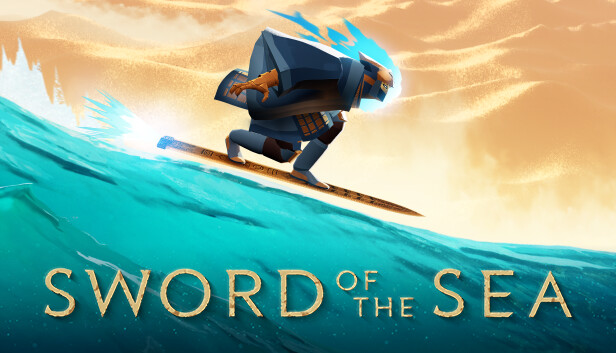
From the visionary artist behind ABZÛ, The Pathless, and Journey – Sword of the Sea is an atmospheric surfing adventure with highspeed Hoversword movement inspired by skateboarding and snowboarding.
Awesome Surfing and TricksCarve your way forward on the ancient and powerful Hoversword, which moves like a snowboard, skateboard, and surfboard all in one. Build momentum to reach top speed and catch big air off the crests of giant waves. Pull off radical flips, spins, and grab tricks with ease as you shred halfpipes, ramps, and wall rides. It’s the perfect balance of exhilarating action and fluid, meditative movement.
A Mysterious and Visually Stunning World of WavesExplore a world where the land flows in constant waves. From massive tides to the smallest ripples, the shifting sea of dunes is incredibly detailed and beautifully rendered. Surf across sandy deserts, glacial mountains, and many more undulating environments full of secrets in this incredible adventure.
A Spiritual Journey to Unveil the SeaYou are the Wraith – resurrected in the desolate Necropolis on a quest to unveil the ancient sea buried beneath the land. Discover the remnants of a lost culture hidden in sinking tombs and skatepark-like ruins as you search for purpose. Transform sandy dunes into glittering, emerald waters and witness magical sealife return in huge, breathtaking shoals. Feel the spiritual magic of surfing as you connect with nature and restore life – but beware, there is also darkness lurking under the waves.
A Legacy of Art, Design, and Music ContinuesDeveloped by the renowned indie team Giant Squid, Sword of the Sea features the unique artistic design of creative director Matt Nava and beautiful music composed by Grammy winning Austin Wintory. Long time creative partners, their works together include beloved indie games ABZÛ, The Pathless, and the legendary, award-winning game Journey.
- 1 Open the Steam desktop client and log into your Steam account (or open Steam Web Activation ).
- 2 Click Games in the top menu bar, then select Activate a Product on Steam…
- 3 Paste the product key delivered to your HootEmpire Order Vault and click Next.
- 4 Sword of the Sea (Steam Account) is permanently added to your Steam library and ready to download.
Verify your account region matches one of the supported regions below before purchasing:
 Worldwide