Steam Vault Features
Eligible for +1 Library Boost
Trading Cards
Not Included
Achievements
Not Included
+1 Count / Boost
Counts +1
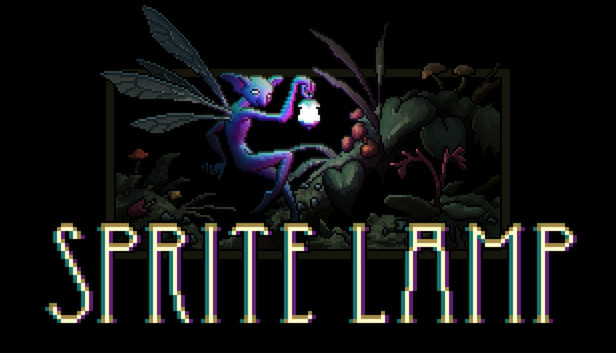
Sprite Lamp is a tool for combining the styles possible with 2D art, such as painted or pixel-art looks, with dynamic lighting found in modern games. Game developers will be able to make games in the style of classics like Metal Slug or Braid, combined with the gameplay and visual appeal made possible by moving or otherwise changing light sources. This is achieved by the artist painting an object lit from several directions, images called 'lighting profiles', and then processing them into normal maps, depth maps, ambient occlusion maps, and a few others. Sprite Lamp also includes a variety of shaders designed to get the most out of these maps.How it worksSprite Lamp is all about letting artists paint images in a form they are familiar with, and using those images to create the more difficult or counterintuitive maps that are required by modern shaders. This primarily takes the form of painting the same subject lit from a few different directions - between two and five - and processing these images to create a normal map and a depth map.RenderingSprite Lamp includes a preview window and various shader options to let you experiment and find out what looks best with your artwork. Sprite Lamp's shaders are included in Sprite Lamp in GLSL form, fully commented, and can be used as a base for including them in your own game. A growing list of Sprite Lamp shaders for common game engines is available at . Sprite Lamp's preview window supports:
- Moveable light source with variable colour, intensity, and attenuation
- Hemispheric ambient lighting
- Cel shading
- Self shadowing with depth maps
- Mapping of specular colour, glossiness, emissive colour, and ambient occlusion
- Rendering of animated characters exported from Spine, by Esoteric Software
- A full command line interface
- The ability to convert simple-to-paint 'flow' maps to anisotropy maps for use with external renderers
- The ability to edit and fine tune the depth maps generated by Sprite Lamp
- The ability to load multiple sets of images, process them all at once, and then animate them in the preview window
Tags & Genres
#Design & Illustration
#Animation & Modeling
#Software
#Game Development
- 1 Open the Steam desktop client and log into your Steam account (or open Steam Web Activation ).
- 2 Click Games in the top menu bar, then select Activate a Product on Steam…
- 3 Paste the product key delivered to your HootEmpire Order Vault and click Next.
- 4 Sprite Lamp is permanently added to your Steam library and ready to download.
Need help redeeming a key? Reach out anytime on our
Support page
or
Discord
.
Verify your account region matches one of the supported regions below before purchasing:
 Worldwide
Keep Exploring
Browse All
Related Keys You Might Like



€1.57
€3.01
Instant Digital Key