Steam Vault Features
Trading Cards
Not Included
Achievements
Not Included
+1 Count / Boost
No +1 Count
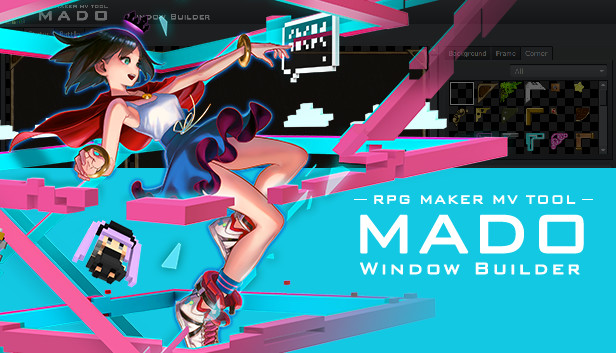
The Ultimate tool to easily customize your windowsMADO is tool created for the RPG Maker MV series. It lets you customize the window graphic used in your game. MADO includes, 50 themes for frame, corners and background patterns! You're just a few clicks away from making the perfect windows to match your game world! These include:
With that much choices, you can customize your game windows to fit several game themes such as the classic fantasy RPG, futuristic worlds, high-school romance, horror and much more.Installing MADO
NOTE: MADO installs a plugin to your desired project. This is how it will modify the windows of your game.Customizing MADOYou can also add your own original window graphic parts!
- Standard
- Modern
- Pop
- Material
- Machine
- Other
With that much choices, you can customize your game windows to fit several game themes such as the classic fantasy RPG, futuristic worlds, high-school romance, horror and much more.Installing MADO
- Open RPG Maker MV and your Project.
- Select Tools -> RPG Maker MV Tools...
- Select Window Maker -> Add
- Press OK.
- Press the newly added icon to start using MADO! There is a guide to help you use it in the Help Tab.
NOTE: MADO installs a plugin to your desired project. This is how it will modify the windows of your game.Customizing MADOYou can also add your own original window graphic parts!
- Go to the Root Folder of the Tool. Normally this is in Steam\steamapps\common\RPG Maker MV\tool\MADO\Parts
- You will see an img folder. This is where you will place the new Window Graphics you wish to use. Window_ID050 is a template that you can follow.
- Once you are done, simply name your new graphic as "Window_ID0XX" 0XX being the new number. This is the unique ID of your graphic.
- The thumbs folder is a small preview of your newly made window graphic to display on the tool itself. Make sure to add a thumb image on your newly created graphic as well!
- Go back to parts folder and open setting.json.
- At the very end of "category": "All" add your newest window graphic such as "051"
- Then add the same ID based on which category you want to set it to. If your new window graphic classifies as fantasy, go to "category": "Standard" and add the latest id at the very end of the id. It would look like something like this:
"id": ["001","006","007","009","011","012","017","018","036","037", "051"] - Congrats! You have added your own custom graphic!
Tags & Genres
#Design & Illustration
#Web Publishing
- 1 Open the Steam desktop client and log into your Steam account (or open Steam Web Activation ).
- 2 Click Games in the top menu bar, then select Activate a Product on Steam…
- 3 Paste the product key delivered to your HootEmpire Order Vault and click Next.
- 4 RPG Maker MV - MADO (DLC) is permanently added to your Steam library and ready to download.
Need help redeeming a key? Reach out anytime on our
Support page
or
Discord
.
Verify your account region matches one of the supported regions below before purchasing:
 Worldwide
Keep Exploring
Browse All
Related Keys You Might Like

€2.80
€8.12
Instant Digital Key