Steam Vault Features
Trading Cards
Not Included
Achievements
Supported
+1 Count / Boost
No +1 Count
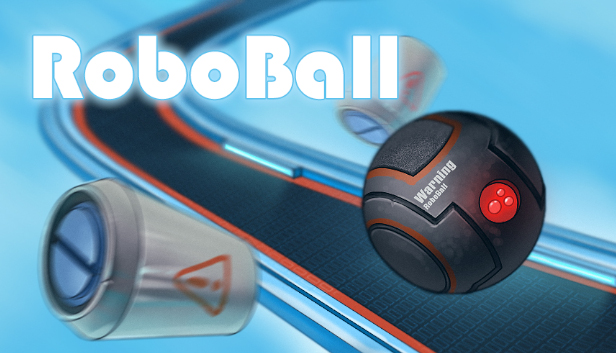
RoboBall is a game in which you control a ball-shaped robot and solve physics- and logic-based puzzles. Your goal is to control various mechanisms in order to reach the end of the level, where you will find a teleporter that will take you to the next level.
Puzzles
On every stage you will find a large number of different mechanisms, buttons, laser switches, and doors. To open a door, start an elevator, or simply activate a certain mechanism, you will need to activate a button. Sometimes you can't do it by yourself and will need some help from metal balls, barrels, or crates. But don't forget that they might also need your help to perform certain actions.
Workshop
RoboBall has a level editor that is very flexible and packed with functionality. All of the levels in the game were created using this editor. Place static objects such as zones, paths, glass tubes, and metal tracks. Active objects perform various functions. These include doors, elevators, and machines that create metal balls, crates, or barrels. Buttons deserve special attention. You can use them to open or close doors, activate elevators, or deactivate turbines that are preventing you or any other physical object from advancing. There are two different kinds of buttons in the game: switches, which activate the objects they are linked to and then turn them off again when pressed a second time, and triggers, which activate objects as long as you or another physical object remains on top of them. When the object leaves the trigger, the objects linked to the button are deactivated.
Once you've created a level you can publish it in the workshop. You can also play other players' levels.
Tags & Genres
#Indie
#Adventure
#Puzzle
#Puzzle Platformer
#Platformer
#3D Platformer
#2D
#Third Person
#Futuristic
#Family Friendly
#Science
#Atmospheric
#Cyberpunk
#Old School
#Physics
#Linear
#Level Editor
#Singleplayer
- 1 Open the Steam desktop client and log into your Steam account (or open Steam Web Activation ).
- 2 Click Games in the top menu bar, then select Activate a Product on Steam…
- 3 Paste the product key delivered to your HootEmpire Order Vault and click Next.
- 4 RoboBall is permanently added to your Steam library and ready to download.
Need help redeeming a key? Reach out anytime on our
Support page
or
Discord
.
Verify your account region matches one of the supported regions below before purchasing:
 Worldwide
Keep Exploring
Browse All
Related Keys You Might Like


€1.49
€3.23
Instant Digital Key