Steam Vault Features
Eligible for +1 Library Boost
Trading Cards
Not Included
Achievements
Not Included
+1 Count / Boost
Counts +1
Add details to your game reviews, walkthroughs, and Let’s Plays to make them perfect!
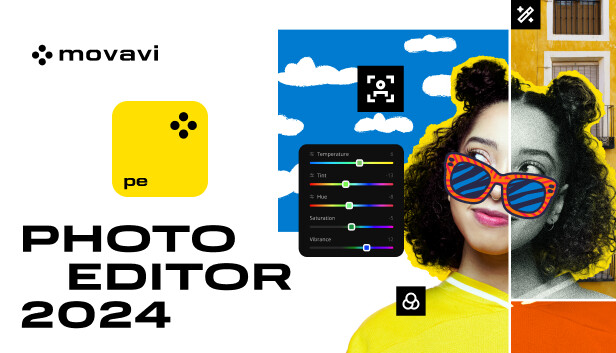
Create distinctive images for intros and outros, and make exclusive channel banners and professional-looking video thumbnails. Edit and retouch your content and go make a splash on social media.Highlights
Want to make time travel a reality? Fix and colorize photos taken decades ago with our AI-powered tool.
Transport anything in an instantShow your videos to the widest possible audience with striking thumbnails. Just choose a catchy picture of the video’s subject and change its background in two simple steps. Leave the backdrop transparent to overlay stickers, captions, and a gaming logo later. Or you can set a background that’ll help your fans understand the theme of your footage.Show what’s importantRemove excess stuff from your video game screenshots or hide the information you don’t want to share. Artificial intelligence makes it all quick and clean.
Create recognizable worksAdd your logo to screenshots to show off your victories on the battlefield and make sure everybody knows who’s the winner. Combine images to showcase all your in-game achievements.Look like a professional gamer on a magazine coverHide the signs of fatigue: get rid of red eyes, under-eye circles and bags, shine, and pimples. Experiment with your appearance any way you want: give yourself a new hair or eye color, reshape your face, and even apply natural-looking makeup. Show your viewers and followers how a real pro player looks!
Communicate with your viewersAdd text to images to share your thoughts with the gaming community. Hold your audience’s attention with captions on your stream’s starting and ending screens. Create a custom pause banner to let your viewers know when you go AFK. Make your channel look neat even when you’re offline!Prepare photos for social networksCrop and resize game screenshots and other images for your videos and various social media channels.
Create distinctive images for intros and outros, and make exclusive channel banners and professional-looking video thumbnails. Edit and retouch your content and go make a splash on social media.Highlights
- Pro-quality color correction.
Get next-level color correction with the same simplicity. Boost colors in a snap and make more viewers fall in love with your photos. - AI-driven portrait retouching.
Remove skin blemishes with one click - Improved AI-powered photo colorization.
Get more realistic colors and bring the past to life - Refined AI-based tool to erase objects.
Automatically remove unwanted objects from photos without leaving a trace - Presets.
Choose from 34 new presets to easily fine-tune your images. Try each of them with the press of a button and pick the one that fits your photo perfectly. - Greater accessibility thanks to a redesigned user interface
Want to make time travel a reality? Fix and colorize photos taken decades ago with our AI-powered tool.
Transport anything in an instantShow your videos to the widest possible audience with striking thumbnails. Just choose a catchy picture of the video’s subject and change its background in two simple steps. Leave the backdrop transparent to overlay stickers, captions, and a gaming logo later. Or you can set a background that’ll help your fans understand the theme of your footage.Show what’s importantRemove excess stuff from your video game screenshots or hide the information you don’t want to share. Artificial intelligence makes it all quick and clean.
Create recognizable worksAdd your logo to screenshots to show off your victories on the battlefield and make sure everybody knows who’s the winner. Combine images to showcase all your in-game achievements.Look like a professional gamer on a magazine coverHide the signs of fatigue: get rid of red eyes, under-eye circles and bags, shine, and pimples. Experiment with your appearance any way you want: give yourself a new hair or eye color, reshape your face, and even apply natural-looking makeup. Show your viewers and followers how a real pro player looks!
Communicate with your viewersAdd text to images to share your thoughts with the gaming community. Hold your audience’s attention with captions on your stream’s starting and ending screens. Create a custom pause banner to let your viewers know when you go AFK. Make your channel look neat even when you’re offline!Prepare photos for social networksCrop and resize game screenshots and other images for your videos and various social media channels.
Tags & Genres
#Utilities
#Photo Editing
#Education
#Software Training
#Design & Illustration
#Software
#Atmospheric
#Singleplayer
#Stylized
#Family Friendly
#Beautiful
#Web Publishing
#Animation & Modeling
- 1 Open the Steam desktop client and log into your Steam account (or open Steam Web Activation ).
- 2 Click Games in the top menu bar, then select Activate a Product on Steam…
- 3 Paste the product key delivered to your HootEmpire Order Vault and click Next.
- 4 Movavi Photo Editor is permanently added to your Steam library and ready to download.
Need help redeeming a key? Reach out anytime on our
Support page
or
Discord
.
Verify your account region matches one of the supported regions below before purchasing:
 Worldwide
Keep Exploring
Browse All
Related Keys You Might Like

€10.91
€17.23
Instant Digital Key