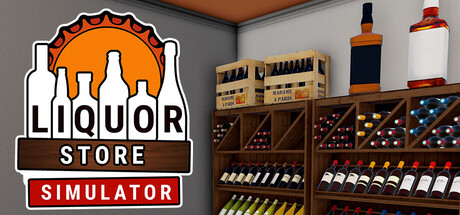
Liquor Store Simulator is a simulation game about developing your own store. You start your business in a small shop that you bought on credit.
At first, it won’t be easy—you’ll have to work at the checkout yourself, accept deliveries, keep records, and maintain order in the sales area. But hard work and smart decisions will help you turn a modest retail outlet into a thriving store with a wide selection and satisfied customers.
ManagementPurchase goods, arrange retail equipment as you see fit.
Draft BeerFeel like a bartender. Pour customers the beer they desire.
Staff ManagementAt first, you’ll have to do everything yourself. But as your store grows, you won’t be able to handle it alone. Hire employees for efficient store management.
CustomizationChange the color of walls, ceilings, and floors. Make your store unique and unlike any other.
- 1 Open the Steam desktop client and log into your Steam account (or open Steam Web Activation ).
- 2 Click Games in the top menu bar, then select Activate a Product on Steam…
- 3 Paste the product key delivered to your HootEmpire Order Vault and click Next.
- 4 Liquor Store Simulator (Steam Account) is permanently added to your Steam library and ready to download.
Verify your account region matches one of the supported regions below before purchasing:
 Worldwide