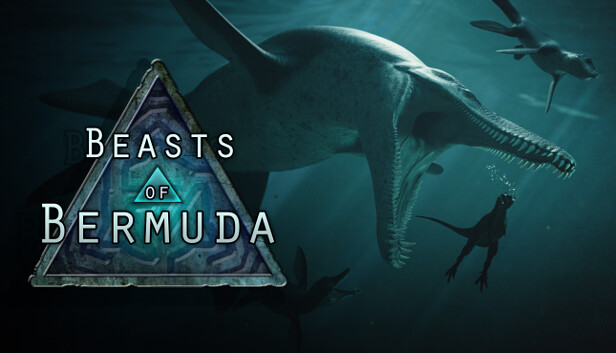
Beasts of Bermuda is a multiplayer survival game in which the player is a dinosaur or other prehistoric creature. A player can take the role of flyers, swimmers, herbivores, carnivores, and semi-aquatic creatures that fulfill different niches in the ecosystem. No matter what the player chooses to be, the objective of the game is to survive and grow up on the islands of Bermuda by using their particular creature's abilities. Predation from other players as well as intense environmental events are the antagonistic forces in the game the player must survive against.
There are currently three game modes in Beasts of Bermuda.
In Free Roam game mode the player selects a creature of choice and spawns into the world as a juvenile of that species. They must survive and gradually grow larger over time. As growth accumulates, they also earn talents, which can be spent to enhance different aspects of your creature's capabilities. In this mode growth is slower but resource management is easier.
In Life Cycle game mode the player selects a creature and spawns into the world as a juvenile of that species. You must survive and grow larger in a fast paced growth setting. As growth accumulates, you will earn talents to enhance different aspects of your creature's capabilities. After 1.32 growth you can choose to enter a stage called Gauntlet, where the difficulty of the game increases with growth in the form of food, water, and ailment management. In this mode growth is faster but resource management is harder. Compete on a monthly leaderboard to earn the top growth ranking for your species!
In Combat game mode players are pitted against one another with mechanics that are designed to reward conflict. Servers can use Deathmatch Maps which are smaller with close together spawn locations. The player spawns in as an adult creature of their choice and can accrue more talent points by killing other players and stealing their points. The game mode is endless and uses points and kill/death ratios to show who reigns supreme on the server.
- 1 Open the Steam desktop client and log into your Steam account (or open Steam Web Activation ).
- 2 Click Games in the top menu bar, then select Activate a Product on Steam…
- 3 Paste the product key delivered to your HootEmpire Order Vault and click Next.
- 4 Beasts of Bermuda (Steam Account) is permanently added to your Steam library and ready to download.
Verify your account region matches one of the supported regions below before purchasing:
 Worldwide
Related Keys You Might Like
Disney Dreamlight Valley (Gold Edition) (Steam Account)
Little Nightmares (Complete Edition) (Steam Account)
Eternal Strands (Steam Account)